What Is llms.txt? Does Your Website Really Need It?
In this article (16)
An evidence-based guide for web developers, SEO professionals and website owners.
Artificial intelligence is changing how people discover information online. Instead of relying exclusively on traditional search engines, users are increasingly turning to AI-powered tools such as ChatGPT, Claude, Gemini and Perplexity for answers, recommendations and research.
Naturally, website owners want their content to appear in these AI-generated responses.
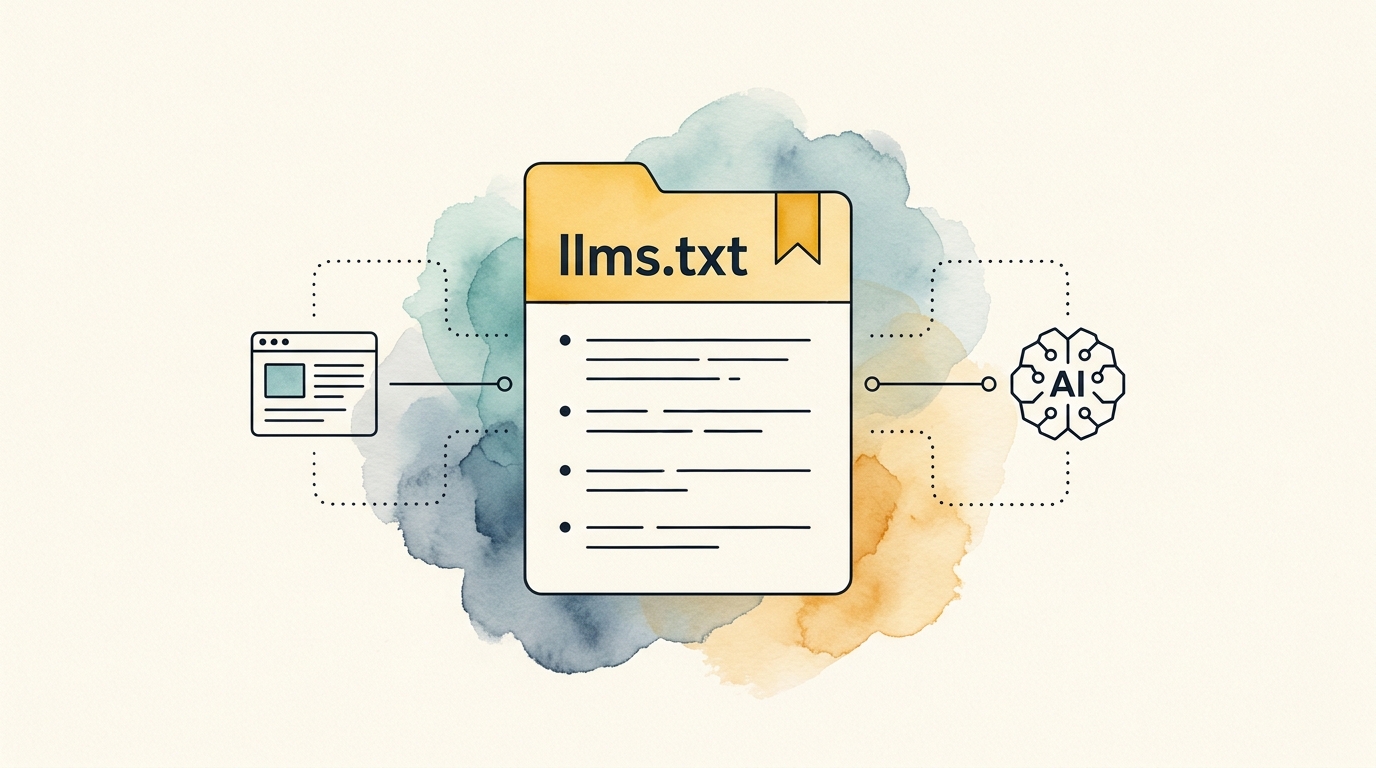
One proposal that has gained attention is llms.txt — a simple file intended to make website content easier for large language models to understand.
During a recent technical SEO audit of a client website, I came across a recommendation to implement an llms.txt file. This raised a practical question: is it genuinely necessary, or is it another optional optimization being treated as a mandatory SEO requirement?
Let’s examine what llms.txt actually does, how to implement it and what the available evidence says about its effectiveness.
What is llms.txt?
The llms.txt file is a proposed convention introduced by Jeremy Howard in September 2024 to help AI systems access and understand relevant website content.
It is typically a plain-text file written using Markdown and made available at the root of a website:
https://example.com/llms.txt
Rather than presenting an entire website’s content through complex HTML, navigation menus and interactive elements, llms.txt provides a curated guide to important resources.
It can contain:
- A website or business name.
- A short description of the website.
- Links to important pages.
- Documentation and resources.
- Brief descriptions of linked content.
- Additional context about the website.
The objective is to make useful information easier for compatible AI systems to discover and interpret.
However, llms.txt remains a proposed convention, not a universally adopted web standard.
Why was llms.txt introduced?
Modern websites are designed primarily for human interaction through web browsers.
A typical webpage may contain navigation menus, cookie consent banners, advertisements, JavaScript components, related posts, promotional sections and large amounts of markup surrounding the actual content.
AI systems processing these pages may encounter unnecessary information that consumes processing resources and context capacity.
The llms.txt proposal attempts to address this by providing a simplified, structured entry point to valuable content.
Think of it as a curated reading guide rather than a complete copy of your website.
This approach can be particularly useful for:
- Developer documentation.
- API reference websites.
- Software knowledge bases.
- Technical tutorials.
- Educational platforms.
- Websites with extensive reference material.
How does llms.txt work?
An llms.txt file uses a relatively simple Markdown structure.
The proposed format generally includes:
- An H1 heading identifying the website or project.
- A blockquote containing a concise summary.
- Optional explanatory information.
- H2 sections grouping related resources.
- Markdown links to relevant pages with optional descriptions.
Here is an illustrative example for a web developer’s portfolio website:
# Web Development Portfolio

> Professional web development services, technical articles
> and resources covering WordPress and modern web technologies.

## Main Pages

- [Homepage](https://example.com/): Overview of services.
- [About](https://example.com/about/): Professional background.
- [Contact](https://example.com/contact/): Project enquiries.

## Technical Articles

- [Blog](https://example.com/blog/): Web development tutorials.

## Optional

- [Privacy Policy](https://example.com/privacy-policy/): Privacy information.
The URLs in this example are illustrative and should be replaced with real, publicly accessible website URLs.
If an AI tool chooses to consume this file, it can use the provided context and resource links to navigate relevant parts of the website.
Publishing the file does not automatically guarantee that an AI platform will discover, process or use it.
llms.txt vs robots.txt vs sitemap.xml
These files serve different purposes and should not be treated as interchangeable.
| Feature | robots.txt | sitemap.xml | llms.txt |
|---|---|---|---|
| Primary purpose | Crawler access instructions | URL discovery | Curated content guidance |
| Format | Plain-text directives | XML | Markdown |
| Standard status | Established protocol | Established protocol | Proposed convention |
| Intended audience | Web crawlers | Search engines | Compatible AI tools and agents |
| Controls indexing directly | No | No | No |
| Required for AI visibility | No | No | No |
| Direct ranking benefit | Not a ranking boost | Not a ranking boost | No established benefit |
robots.txt
The robots.txt file communicates crawling preferences to compatible web crawlers.
It can be used to restrict access to specific website paths for particular user agents.
However, it is not an authentication mechanism and should never be used as a substitute for protecting private information.
sitemap.xml
An XML sitemap helps search engines discover URLs that a website owner considers important.
It supports URL discovery but does not guarantee indexing or higher rankings.
llms.txt
The llms.txt file provides a curated description of website content and links to important resources.
It does not replace robots.txt, XML sitemaps, structured data or conventional search engine optimization.
Does llms.txt improve SEO rankings?
This is where the distinction between technical possibilities and established evidence becomes important.
As of November 2026, Google explicitly states in its official guidance that Google Search does not use llms.txt files, including for its generative AI search features.
Website owners do not need to create special AI text files to appear in Google Search, AI Overviews or AI Mode.
Adding llms.txt is therefore not an established Google ranking factor.
There is also no established universal requirement across major AI platforms that websites must publish llms.txt to become eligible for AI-generated citations or recommendations.
This does not mean the proposal has no potential value. It means its effectiveness depends on whether the particular AI system consuming your website supports and uses it.
A website without llms.txt should not automatically be classified as having a technical SEO error.
llms.txt and Generative Engine Optimization (GEO)
Generative Engine Optimization, commonly referred to as GEO, describes efforts to improve content discoverability and visibility in AI-generated responses.
Related terminology includes Answer Engine Optimization (AEO) and AI Search Optimization.
Although llms.txt is frequently associated with these concepts, it should not be considered a complete GEO strategy.
A stronger foundation involves:
- Publishing original and factually accurate information.
- Providing clear answers to relevant questions.
- Demonstrating genuine expertise and experience.
- Maintaining crawlable and accessible website content.
- Using meaningful headings and semantic HTML.
- Providing accurate structured data where applicable.
- Maintaining consistent business and author information.
- Keeping important content up to date.
These practices provide value to human readers and search systems regardless of whether llms.txt becomes widely adopted.
A text file cannot compensate for poor-quality website content.
How to add llms.txt to WordPress
There are several ways to implement llms.txt on a WordPress website.
Method 1: Using Rank Math SEO
If your website already uses Rank Math, you can use its built-in llms.txt functionality in supported versions.
- Log in to the WordPress dashboard.
- Navigate to Rank Math SEO → Dashboard.
- Enable the LLMS Txt module.
- Navigate to Rank Math SEO → General Settings → Edit llms.txt.
- Configure the content types and available options.
- Save your settings.
Once configured, open:
https://yourwebsite.com/llms.txt
Review the generated content and confirm that the listed URLs are accurate and publicly accessible.
Yoast SEO also provides llms.txt generation in supported versions.
If an existing SEO plugin already supports this functionality, installing another dedicated plugin is generally unnecessary.
Method 2: Create the file manually
For smaller websites, a manually maintained file may be sufficient.
Create a file called llms.txt.
Add your Markdown content and upload it to the website’s public document root.
On a typical WordPress hosting environment, the structure may look like this:
public_html/
├── wp-admin/
├── wp-content/
├── wp-includes/
├── robots.txt
├── llms.txt
└── index.php
The sitemap may be generated dynamically by WordPress or an SEO plugin rather than existing as a physical XML file.
Make sure the llms.txt file is accessible through the public website URL.
Avoid maintaining both a physical file and a plugin-generated version without understanding which one the server will serve.
How to add llms.txt to an Astro website
Static websites and modern frontend frameworks make this particularly straightforward.
In an Astro project, create an llms.txt file inside the public directory:
my-astro-project/
├── public/
│   ├── robots.txt
│   └── llms.txt
├── src/
├── astro.config.mjs
└── package.json
Astro copies files from the public directory into the build output without processing them.
After deployment, the file should be available at:
https://yourwebsite.com/llms.txt
Dynamically generating llms.txt in Astro
For websites with frequently updated articles, manually maintaining links may become inconvenient.
Astro also supports endpoints that can generate an llms.txt response during the build process.
For example, create:
src/pages/llms.txt.ts
import type { APIRoute } from 'astro';

export const prerender = true;

export const GET: APIRoute = () => {
  const content = [
    '# My Website',
    '',
    '> Web development tutorials and technical resources.',
    '',
    '## Main Pages',
    '',
    '- [Homepage](https://example.com/)',
    '- [Blog](https://example.com/blog/)',
    '- [Contact](https://example.com/contact/)'
  ].join('\n');

  return new Response(content, {
    headers: {
      'Content-Type': 'text/plain; charset=utf-8'
    }
  });
};
This is a minimal implementation. A production version can fetch published articles from Astro Content Collections, a headless WordPress installation or another CMS and generate the Markdown links automatically.
For headless WordPress architectures, the file should generally be available on the public frontend domain, not just the backend CMS domain.
Do not create both a static public file and a generated endpoint for the same route.
What is llms-full.txt?
Some documentation websites also provide a file called llms-full.txt.
While llms.txt generally acts as an index or curated guide, llms-full.txt commonly contains a more extensive collection of actual content in a single text document.
| File | Typical content |
|---|---|
| llms.txt | Website overview and important links |
| llms-full.txt | Consolidated documentation or detailed content |
The llms-full.txt convention can be useful for technical documentation and tools that need to process substantial amounts of reference material.
However, a comprehensive content file can become unnecessarily large and difficult to maintain.
Neither file should contain private customer information, unpublished content, credentials or internal business documentation.
How to verify your llms.txt implementation
After creating the file, test it before considering the implementation complete.
Open the URL in your browser:
https://yourwebsite.com/llms.txt
You can also inspect the HTTP response using cURL:
curl -I https://yourwebsite.com/llms.txtOn Windows PowerShell:
curl.exe -I https://yourwebsite.com/llms.txtCheck that:
- The URL returns HTTP 200.
- The response contains the intended text content.
- The server does not return an HTML error page.
- The Markdown structure is readable.
- All included URLs are accurate.
- The file does not contain private information.
- There are no unnecessary duplicate or obsolete links.
You can inspect the actual response body with:
curl -L https://yourwebsite.com/llms.txtThese checks confirm that the file is available. They do not establish that an AI platform reads or uses it.
Can you measure the effectiveness of llms.txt?
This is currently one of the biggest limitations.
There is no universal reporting system that tells website owners how often AI platforms use their llms.txt file or whether it influenced an AI-generated answer.
However, website owners can monitor several indicators:
- Server access logs for requests to
/llms.txt. - Referral traffic from AI platforms.
- Brand mentions in AI-generated responses.
- Citations to important website pages.
- Relevant traffic and conversion changes over time.
These measurements have limitations.
A request to llms.txt does not prove that the information was used in an answer. Similarly, an increase in AI referral traffic does not establish that llms.txt caused the increase.
Any claims about its effectiveness should distinguish correlation from causation.
Common mistakes to avoid
Treating llms.txt as mandatory
A missing llms.txt file is not automatically an SEO issue.
Its absence should not be classified as a critical technical problem without a specific platform requirement or demonstrated use case.
Including every website URL
The purpose of the file is to provide useful context and curated resources.
Including hundreds of unimportant URLs can undermine that objective.
Exposing sensitive information
The file is publicly accessible. Never include internal documents, API credentials, customer records or private information.
Installing unnecessary plugins
If your existing SEO plugin generates llms.txt, another plugin is unlikely to be necessary.
For a static website, a simple text file may be sufficient.
Expecting immediate ranking improvements
Publishing llms.txt does not guarantee improvements in search rankings, AI citations or website traffic.
Neglecting established SEO practices
An llms.txt file is not a substitute for accessible content, technical SEO, accurate structured data or a well-maintained website.
Should every website have llms.txt?
The answer depends on the website’s purpose.
| Website type | Recommendation |
|---|---|
| Developer documentation | Worth considering |
| API reference website | Worth considering |
| Technical knowledge base | Potentially useful |
| Educational website | Optional |
| Personal portfolio | Optional |
| WordPress blog | Optional |
| WooCommerce store | Low priority |
| Small business website | Low priority |
For documentation-heavy websites, there is a clearer practical use case for providing simplified resource indexes.
For a small business website or online store, fixing genuine accessibility, indexing, performance and content issues should generally take precedence.
If generating llms.txt requires minimal effort and maintenance, implementing it as an experiment can be reasonable.
If it requires substantial manual work, the expected benefits should be evaluated before proceeding.
Frequently asked questions
Is llms.txt a Google ranking factor?
No. Google’s official guidance states that Google Search does not use llms.txt.
Does ChatGPT require llms.txt?
There is no established requirement for websites to publish llms.txt to appear in ChatGPT-generated responses.
Does llms.txt prevent AI training?
No. It is not an access-control or AI-training opt-out mechanism.
Website owners should consult the relevant AI provider’s documentation and supported crawler controls.
Can llms.txt replace an XML sitemap?
No. They serve different purposes.
Will llms.txt slow down my website?
A small static text file has negligible impact on normal webpage loading because it is not part of the standard webpage rendering process.
A poorly implemented dynamic generator could create unnecessary server overhead, but that is an implementation concern rather than an inherent limitation of the format.
Is llms.txt necessary for WordPress?
No. WordPress websites can function normally and appear in search results without it.
What should I include in llms.txt?
Include a concise website description, important public pages, relevant documentation and links that genuinely help explain your website.
Final thoughts
The llms.txt proposal represents an interesting attempt to make the web more accessible to AI systems.
As AI-powered search and autonomous agents continue to evolve, structured and machine-readable content may become increasingly valuable.
However, developers and SEO professionals should evaluate emerging technologies based on actual evidence rather than treating every new recommendation as an immediate requirement.
My approach is straightforward: implement llms.txt when it provides a practical benefit or requires minimal effort, but prioritize proven improvements that directly benefit website visitors.
Good technical SEO is not about collecting green checkmarks in an audit report. It is about identifying genuine problems and implementing changes that deliver measurable value.
Build websites that work well for people first. Make them easier for machines to understand second.
References
- The original llms.txt proposal
- Google’s guide to optimizing for generative AI features
- Google Search Central – AI features and your website
- Rank Math – How to use llms.txt
- WordPress.com – Adding llms.txt to your website
- Astro documentation – Endpoints
Last updated: November 26, 2026.