Structured Data for Astro: Building Connected Schema.org JSON-LD Without AI Search Myths
In this article (12)
What Structured Data Actually Does
Schema.org structured data gives search engines a machine-readable description of information already present on a page. For example, a blog post can identify its headline, publication date, author, featured image, and relationship to the website where it appears.
One common format is JSON-LD (JavaScript Object Notation for Linked Data), which can be added to a webpage inside a <script type="application/ld+json"> element. Google recommends JSON-LD for many structured-data implementations because it is relatively straightforward to maintain.
Structured data can help search systems understand a page and, when the markup meets a supported feature’s requirements, make it eligible for certain search appearances. It is not a ranking shortcut, an identity-verification certificate, or a way to force an AI engine to cite your content.
This guide covers an Astro website, including sites that load blog content from headless WordPress. We’ll build a connected graph, render it safely, and test what we’ve published.
The AI search distinction: Google’s guidance for AI Overviews and AI Mode says there is no special Schema.org markup required for inclusion. The same fundamental SEO principles still apply: make pages crawlable, useful, accessible, and accurate. The internal ranking and citation mechanisms of third-party AI answer engines are not fully public, so claims that a particular
@graphstructure guarantees citations are not supported.
Official references: Google’s structured data introduction · AI features and your website · Google’s guide to generative AI search
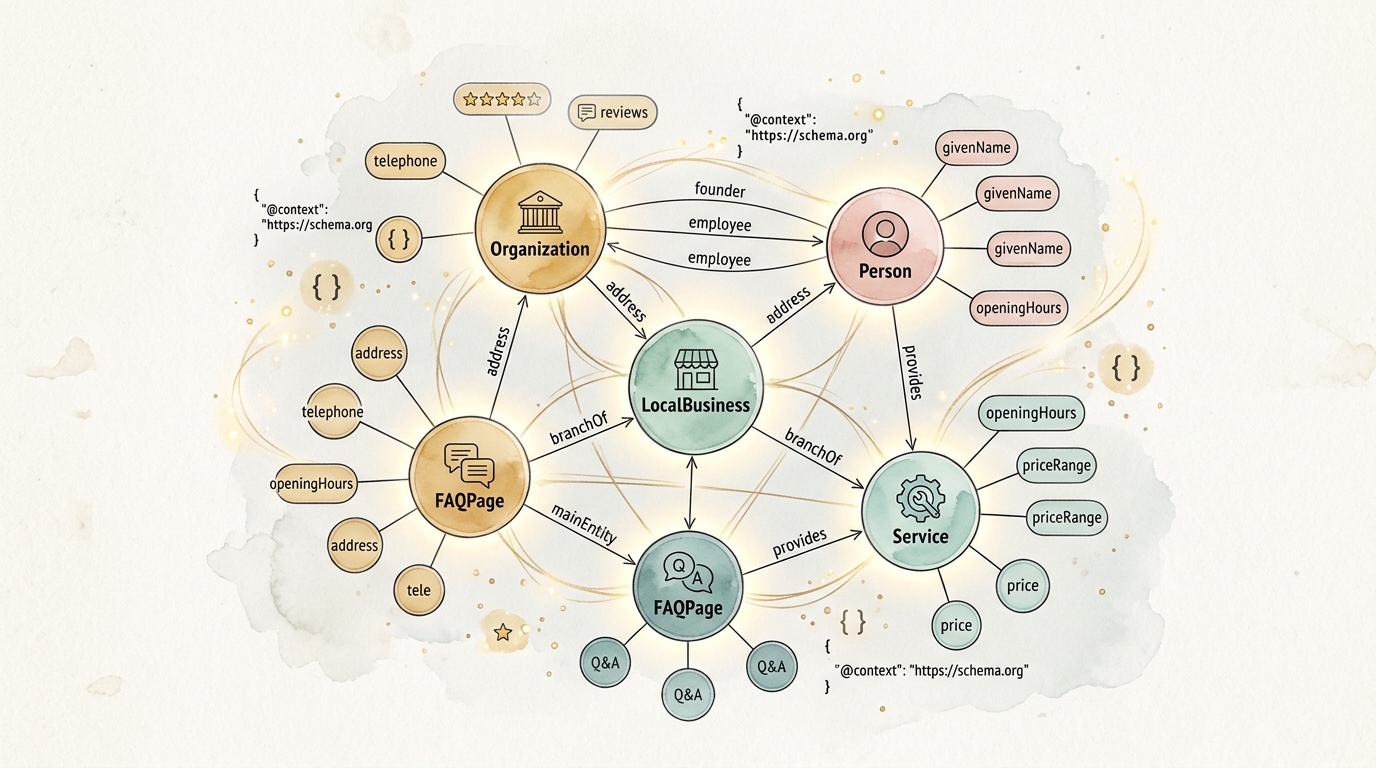
1. Understand the Four Entities Before Writing Code
Consider a personal developer portfolio with a technical blog. Four Schema.org types are particularly useful:
| Schema.org type | What it describes | Example relationship |
|---|---|---|
WebSite |
The website as a whole | Has a publisher represented by a Person |
Person |
The real author or publisher | Authors a BlogPosting |
WebPage |
The specific URL visitors open | Is part of the WebSite and has a main entity |
BlogPosting |
The article’s editorial content | Is the main entity of the WebPage |
Other sites may need an Organization publisher instead of a Person; use the type that reflects the real-world entity. A one-person portfolio should not invent a company simply to make the markup appear more substantial.
How @id works: An @id is an identifier for an entity. When several nodes reference the same identifier, they describe or point to the same conceptual entity. A consistent identifier such as https://example.com/#person makes those relationships explicit.
This is a useful modeling convention—not a requirement to combine all markup into one <script> element. Search engines can process multiple valid JSON-LD blocks, and a connected @graph is a maintainability choice rather than a special Google AI search requirement.
A simple connected graph
The following is an illustrative example. Replace the domain, identity, article metadata, and image URL with values that match the visible page:
{
  "@context": "https://schema.org",
  "@graph": [
    {
      "@type": "WebSite",
      "@id": "https://example.com/#website",
      "url": "https://example.com/",
      "name": "Example Developer",
      "publisher": { "@id": "https://example.com/#person" }
    },
    {
      "@type": "Person",
      "@id": "https://example.com/#person",
      "name": "Example Developer",
      "url": "https://example.com/about/"
    },
    {
      "@type": "WebPage",
      "@id": "https://example.com/blog/schema-guide/#webpage",
      "url": "https://example.com/blog/schema-guide/",
      "name": "A Practical Guide to Connected JSON-LD",
      "isPartOf": { "@id": "https://example.com/#website" },
      "mainEntity": {
        "@id": "https://example.com/blog/schema-guide/#article"
      }
    },
    {
      "@type": "BlogPosting",
      "@id": "https://example.com/blog/schema-guide/#article",
      "headline": "A Practical Guide to Connected JSON-LD",
      "datePublished": "2026-10-11T11:45:00Z",
      "author": { "@id": "https://example.com/#person" },
      "publisher": { "@id": "https://example.com/#person" },
      "mainEntityOfPage": {
        "@id": "https://example.com/blog/schema-guide/#webpage"
      }
    }
  ]
}
Notice that WebPage and BlogPosting have different identifiers even though they share a canonical page URL. The webpage is the document; the blog post is the creative work presented on it.
Do not interpret @id as proof that a third-party system has verified the author. It describes the identity relationship you assert in your markup. Search systems decide independently what they trust and use.
2. Choose Properties Based on Real Page Content
For a blog post, begin with a small number of accurate properties rather than filling the graph with speculative claims:
headline: the actual article title, consistent with the visible heading.author: aPersonorOrganizationthat genuinely authored the article; give the author a useful identity URL where applicable.datePublished: the original publication time, expressed as a valid ISO 8601 date/time.dateModified: add this when the page has actually been revised; do not automatically set it to the current build time.image: a relevant, publicly accessible representative image, if available.mainEntityOfPage: a relationship to the page containing the article.
Google’s Article structured data documentation lists recommended properties for Article, NewsArticle, and BlogPosting. It does not say that every optional property must be present.
A sameAs array can point to genuine, public pages that unambiguously identify the same person or organization. Use confirmed profiles only. Adding unrelated profile links, unverifiable credentials, or made-up affiliations is misleading.
For a site name, Google’s WebSite guidance specifically describes adding the appropriate WebSite information on the homepage. Including a consistent WebSite node in article graphs is fine, but it does not replace correct homepage markup.
3. Build a Reusable JSON-LD Helper in Astro
Instead of writing separate JSON strings inside every blog template, create a TypeScript helper. The example below uses a fictional site so it can be adapted safely.
Create src/lib/schema.ts:
const SITE_URL = 'https://example.com/';
const WEBSITE_ID = `${SITE_URL}#website`;
const PERSON_ID = `${SITE_URL}#person`;

type ArticleInput = {
  canonicalUrl: string;
  title: string;
  description: string;
  publishedAt: string; // ISO 8601, with timezone
  modifiedAt?: string;  // Only when genuinely updated
  imageUrl?: string;
};

function absoluteUrl(pathOrUrl: string): string {
  return new URL(pathOrUrl, SITE_URL).toString();
}

export function buildArticleGraph(article: ArticleInput) {
  // Pass the final canonical URL (not a preview URL or CMS API URL).
  const url = absoluteUrl(article.canonicalUrl);
  const webpageId = `${url}#webpage`;
  const articleId = `${url}#article`;

  return {
    '@context': 'https://schema.org',
    '@graph': [
      {
        '@type': 'WebSite',
        '@id': WEBSITE_ID,
        url: SITE_URL,
        name: 'Example Developer',
        publisher: { '@id': PERSON_ID },
      },
      {
        '@type': 'Person',
        '@id': PERSON_ID,
        name: 'Example Developer',
        url: absoluteUrl('/about/'),
        // Add sameAs only for real, matching public profile URLs.
      },
      {
        '@type': 'WebPage',
        '@id': webpageId,
        url,
        name: article.title,
        isPartOf: { '@id': WEBSITE_ID },
        mainEntity: { '@id': articleId },
      },
      {
        '@type': 'BlogPosting',
        '@id': articleId,
        headline: article.title,
        description: article.description,
        datePublished: article.publishedAt,
        ...(article.modifiedAt
          ? { dateModified: article.modifiedAt }
          : {}),
        ...(article.imageUrl
          ? { image: [absoluteUrl(article.imageUrl)] }
          : {}),
        author: { '@id': PERSON_ID },
        publisher: { '@id': PERSON_ID },
        mainEntityOfPage: { '@id': webpageId },
      },
    ],
  };
}
Why this helper is easier to maintain
- The site and person IDs are defined once, reducing inconsistencies across posts.
- The article and webpage use the public canonical URL, not the WordPress REST API endpoint.
- Article metadata is passed in rather than hardcoded into the shared helper.
dateModifiedandimageappear only when the corresponding data exists.
Important: SITE_URL, site name, publisher type, and author identity must reflect the actual site. If your blog has multiple authors, do not use the same person for every article. Instead, map each post’s verified author to an appropriate node and stable identifier.
4. Output the Graph Safely in an Astro Page
In a blog route or layout, build the graph using the post metadata. This example assumes an Astro content collection with pubDate, updatedDate, and heroImage fields; adjust those names to match your own content schema.
---
import { buildArticleGraph } from '../lib/schema';

const { post } = Astro.props;

// Example: supply the exact production canonical URL for this post.
const canonicalUrl = new URL(Astro.url.pathname, 'https://example.com/').href;

const graph = buildArticleGraph({
  canonicalUrl,
  title: post.data.title,
  description: post.data.description,
  publishedAt: post.data.pubDate.toISOString(),
  modifiedAt: post.data.updatedDate?.toISOString(),
  imageUrl: post.data.heroImage,
});

// Prevent user-controlled text from closing the script element.
const jsonLd = JSON.stringify(graph).replace(/</g, '\\u003c');
---

<link rel="canonical" href={canonicalUrl} />
<script type="application/ld+json" is:inline set:html={jsonLd} />
The import path depends on the actual location of your page file. For example, a route inside src/pages/blog/ may need ../../lib/schema rather than ../lib/schema.
Astro’s set:html directive inserts raw content; that is appropriate for serialized JSON-LD, but raw insertion does not sanitize untrusted strings. The replacement above makes literal < characters safe for inclusion in a script element. Never concatenate user-provided fields directly into handwritten JSON.
Use is:inline to keep the data block in the generated HTML without treating it as a bundled client-side script. See Astro’s template directives.
Using headless WordPress as the content source
The same helper works when Astro fetches posts from /wp-json/wp/v2/posts. Map WordPress fields into the helper’s inputs, but pay attention to these details:
- HTML vs. text: WordPress REST fields such as
title.renderedmay include HTML entities or markup. Convert them to clean plain text before assigningheadlineordescription, consistent with the text that readers see. - Date/time: WordPress may provide local
dateand UTCdate_gmtvalues. Convert dates into valid ISO 8601 strings with a known timezone. Do not treat an offset-free timestamp as UTC without checking the source field. - Canonical URL: Use the actual public Astro page URL, not a WordPress post URL if WordPress is only the backend CMS.
- Images: Resolve the frontend’s crawlable image URL, not an internal media path accessible only to the CMS.
- Author identity: Use the visible byline and its corresponding author profile, not a placeholder or arbitrary default author.
If the post’s metadata is incomplete, fix the source data first. Structured data should describe a real page—not compensate for missing editorial information.
5. Avoid Duplicate or Conflicting Markup
Headless WordPress and Astro projects often have several possible schema sources: an SEO plugin in the WordPress backend, a shared Astro SEO component, a theme layout, or per-page additions.
Markup on the CMS’s own domain does not automatically appear on the Astro frontend. Conversely, if two Astro components both emit conflicting WebPage or BlogPosting entities, the result can be difficult to maintain and debug.
A sensible architecture is to have one central SEO component determine which structured data belongs on each rendered frontend page. Reuse stable @id values across the graph. Check the final HTML before deciding another plugin or schema generator is required.
Also distinguish these three concepts:
- Canonical URL: the preferred public URL for a page, typically indicated with
rel="canonical". - Entity
@id: the stable identifier you choose for an entity, which may include a fragment such as#article. sameAs: links to external pages that identify the same real-world entity, when such links are appropriate.
These have related but different jobs. A sameAs link does not prove professional qualifications or force Google to merge identities.
6. Validate the Markup—and Check the Published HTML
Use two separate tools because they answer different questions:
Schema Markup Validator: validator.schema.org checks Schema.org vocabulary and JSON-LD structure. It is useful for reviewing linked nodes even when they do not correspond to a Google-specific rich result.
Google Rich Results Test: search.google.com/test/rich-results checks markup against supported Google Search rich-result features. It will not validate every conceivable Schema.org type as a Google feature, and a passing test does not guarantee an enhanced search appearance.
A practical test routine:
- Run the Astro production build, then open a generated blog page.
- Inspect the rendered HTML and locate the
application/ld+jsonelement. - Confirm that the
<script>contains valid JSON and the expected nodes. - Verify the public canonical URL, author, headline, timestamps, and image against the visible page.
- Test the page in the Schema Markup Validator, then use the Rich Results Test for supported Google features.
- After deployment, use Search Console’s URL Inspection tool to check indexing and any applicable rich-result reports.
For automated projects, also add a build-time test for missing titles, invalid date strings, empty author details, and duplicate page-specific @id values.
7. What About Google AI Overviews, ChatGPT Search, and Perplexity?
It is reasonable to care about how AI-powered search services discover your content. It is not reasonable to promise citation results from schema markup alone.
Google AI Overviews and AI Mode
Google states that ordinary Search eligibility and quality fundamentals remain relevant. A page must be indexed and eligible to be shown with a snippet to be considered as a supporting link. There is no AI-specific Schema.org type you need to add. Maintain accurate structured data where it makes sense, but prioritize helpful content, clean internal linking, accessible text, and crawlability.
Source: Google: AI features and your website.
ChatGPT Search
OpenAI documents OAI-SearchBot as a crawler associated with surfacing websites in ChatGPT search results. Its crawler documentation distinguishes this from GPTBot, which concerns possible model-training use. If you want your public pages discoverable through ChatGPT search, review your robots.txt and CDN or firewall rules so they do not unintentionally block search crawling. This is a discoverability decision, not evidence that ChatGPT requires a connected JSON-LD graph or will cite your page.
Source: OpenAI crawler documentation.
Perplexity and other answer engines
Different services use their own crawling, retrieval, and ranking systems. Their detailed citation criteria may not be public. Maintain accessible pages and honest metadata; avoid claims that a particular schema pattern is a documented Perplexity citation factor without direct evidence.
The practical rule: Structured data improves the explicit description of a page; content quality, indexing, retrieval, and citation selection are separate questions.
8. Common Mistakes to Avoid
| Mistake | Better approach |
|---|---|
Claiming an @graph guarantees AI citations |
Describe its modeling and maintenance benefits accurately |
| Inventing author credentials or affiliations | Mark up only information you can support on the page |
| Using the CMS API domain in frontend article IDs | Use the public canonical Astro URL |
| Reusing one author’s identity for every contributor | Build author nodes from actual post authorship |
Setting dateModified on every deployment |
Update it only when the article itself changes |
Omitting the WebSite name markup from the homepage |
Include the appropriate site-name data on the home page |
Pasting raw WordPress rendered HTML into JSON-LD |
Normalize plain text and serialize safely |
| Assuming a Rich Results Test pass means a rich result will appear | Treat it as an eligibility and debugging check, not a guarantee |
| Adding every possible Schema.org property | Start with accurate, relevant properties and expand only when justified |
9. A Short Production Checklist
Before publishing an Astro article with connected structured data, verify that:
- The post has a real headline, byline, and publication date visible to readers.
- Its canonical URL points to the public frontend, not the private CMS.
-
WebSite,PersonorOrganization,WebPage, andBlogPostingnodes reference consistent identifiers. - Any
sameAsURLs genuinely identify the stated entity. - Dates use valid ISO 8601 values with appropriate timezone information.
- The markup matches the rendered article and does not invent facts.
- The JSON-LD script is present in the production HTML and parses successfully.
- The live page passes relevant validation checks and is eligible for indexing.
- The homepage has appropriate site-name markup.
- You have not promised ranking improvements or AI citations that cannot be measured or verified.
Conclusion
Connected JSON-LD is a good way to keep structured data consistent across an Astro website, particularly when posts are sourced from headless WordPress. Stable @id references help describe the relationship between a site, its author, the webpage, and its article without repeating disconnected blocks of information.
But the objective is accurate semantic markup, not a supposed shortcut into AI answers. Start with truthful page data, follow the search engines’ published guidance, test the generated HTML, and treat structured data as one part of a broader technical SEO practice.
Official Documentation and Further Reading
- Google Search Central — Introduction to structured data
- Google Search Central — Article structured data
- Google Search Central — General structured data guidelines
- Google Search Central — Site names and WebSite markup
- Google Search Central — AI features and your website
- Google Search Central — Guide to generative AI features
- Astro — Template directives reference
- Schema.org — Schema Markup Validator
- OpenAI — Overview of OpenAI crawlers